The most reliable legal M3U URLs come from two places: community-maintained repositories like iptv-org and publisher-run FAST channel feeds from services such as Pluto TV, Tubi, or Samsung TV Plus. Before you save any playlist, open it in VLC or an online playlist checker to confirm the streams actually load. Remember that an M3U file is just a pointer to other streams, so its legality always depends on what those individual streams are licensed to broadcast.
TL;DR:
- Community-maintained repositories like iptv-org provide curated, regularly updated channel links, but require validation to weed out dead or unvetted streams.
- FAST platforms such as Pluto TV and Tubi are legally licensed and deliver ad-supported channels directly from publishers, making their streams trustworthy.
- Testing M3U URLs in VLC or an online checker helps identify dead links and verify channel metadata before committing to a playlist.
- Properly tagged playlists with consistent metadata improve guide accuracy and prevent issues with EPG display.
- Using paid subscription services offers more reliable, maintenance-free streams, accurate EPG, and accessible support, reducing the hassle of managing personal playlists.
Table of Contents
- Where to find free, legal M3U playlist URLs
- How do you test an M3U URL before trusting it?
- How to load an M3U URL into VLC, TiviMate, IPTV Smarters, and Kodi
- M3U and M3U8 format: the metadata that actually matters
- Staying on the right side of legality with public playlists
- Quick troubleshooting: fixing buffering, geo-blocks, and EPG mismatches
- A subscription built for people tired of maintaining playlists
- Sources
Where to find free, legal M3U playlist URLs
Two categories of sources hold up as legitimate starting points, and each comes with a different trade-off between breadth and reliability.
Community-maintained repositories are the first stop for most people. iptv-org aggregates publicly available channel links into an organized, regularly updated index, sorted by country, language, and category. Because volunteers maintain it in the open, dead links get flagged and pruned faster than on anonymous mega-lists floating around forums. Smaller, curated lists maintained by dedicated hobbyists often outperform the giant “10,000 channels” playlists you’ll see shared elsewhere. Those bloated files tend to mix a handful of working streams with a pile of stale or unvetted links, and sorting the good from the bad eats up more time than it saves.
The second category is FAST services, short for free ad-supported streaming television. Platforms like Pluto TV, Tubi, and Samsung TV Plus deliver linear, ad-supported channels that function like traditional broadcast TV, just delivered over the internet. These are unambiguously legal because the publisher licenses the content directly.
A few rules of thumb when picking sources:
- Favor repositories with visible commit history or update logs over static, unlabeled files.
- Skip any list that doesn’t disclose where its streams originate.
- Treat FAST platforms as viewing destinations first. Loading their proprietary feeds directly into a third-party player isn’t something these services publish support for.
How do you test an M3U URL before trusting it?
Never save a playlist blind. A quick validation pass tells you whether you’re looking at a working list or a graveyard of dead links within minutes.
- Open the URL in VLC through Media > Open Network Stream, or run it through an online M3U playlist checker to get a fast pass/fail report on every entry.
- Log which channels failed and when you tested them. Playlists shift day to day, so a timestamp matters if you’re troubleshooting later.
- Remove or quarantine anything that consistently fails rather than leaving dead entries cluttering your list.
- Check that tvg-id and tvg-name values line up with real channels and that logos actually render, since mismatched metadata breaks your EPG.
Watch for warning signs that a stream isn’t what it claims. Suspicious redirects, entries that demand you enter separate login credentials, or channel names promising premium live sports for free are all signals you’ve stumbled onto a pirated feed rather than a legitimate one.
Pro Tip: Keep a plain text log of every playlist URL you test, along with the date and pass/fail result. Six months from now, that log saves you from re-testing sources you already know are junk.
How to load an M3U URL into VLC, TiviMate, IPTV Smarters, and Kodi
Loading the URL itself takes seconds once you know where each player hides the option. The steps vary slightly by app, but the logic is identical everywhere: point the player at the M3U link, then let it fetch the channel list.
- VLC: Go to Media > Open Network Stream, paste the M3U URL, and hit play. If a channel doesn’t load, VLC’s connection diagnostics in the messages window (Tools > Messages) usually reveal whether it’s a codec issue or a dead server.
- IPTV Smarters and TiviMate: Both use an “Add Playlist” flow where you paste the M3U URL and, separately, an EPG/XMLTV URL if the source provides one. Load the channel list once, then scroll through a sample of categories to confirm playback before relying on it daily.
- Kodi: Install the PVR IPTV Simple Client add-on, paste your M3U URL into its configuration, and refresh the EPG afterward so the guide data lines up with the channel list.
- Treat a freshly found URL as a temporary test load first. Only promote it to your permanent, saved playlist after it survives a few days of actual viewing without falling apart.
For a device-by-device walkthrough, Buyiptvfor4k’s setup guide covers configuration specifics across the most common streaming boxes and smart TVs.
M3U and M3U8 format: the metadata that actually matters
M3U is a plain-text playlist format going back to early digital audio players. M3U8 is its UTF-8 encoded variant, which matters because it’s the standard companion to HLS streaming and handles international channel names and special characters far better than legacy ASCII M3U files. Nearly every current player and IPTV service defaults to M3U8 for this reason.
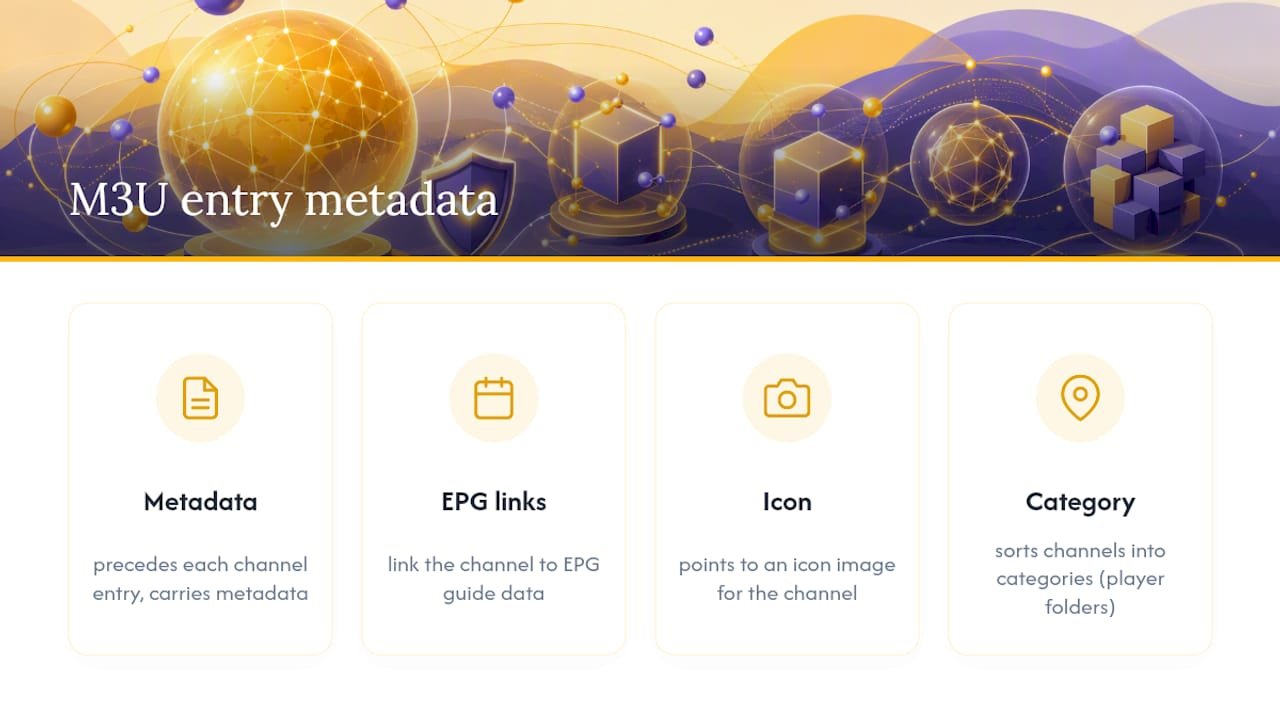
Inside the file, a handful of tags do the real work. #EXTINF precedes each channel entry and carries its metadata; tvg-id and tvg-name link the channel to EPG guide data; tvg-logo points to an icon image; group-title sorts channels into categories your player displays as folders. A typical line looks like this:
#EXTINF:-1 tvg-id="BBC1.uk" tvg-name="BBC One" tvg-logo="logo.png" group-title="UK",BBC One
Consistent tagging across a whole playlist is what makes an EPG populate correctly instead of showing blank guide data for half your channels.
Staying on the right side of legality with public playlists
An M3U file is neutral. It’s a list of pointers, and the legality of what you’re watching depends entirely on whether each individual stream is properly licensed, not on the playlist format itself.
Some practical guardrails keep you clean:
- Stick to sources that clearly disclose where their streams originate, whether that’s a public repository or a named FAST publisher.
- Never redistribute or repost streams you don’t hold rights to, even informally.
- Don’t ingest FAST platform feeds into third-party players outside their official apps. Pulling those feeds independently can interfere with server-side ad insertion, which is how these platforms fund the content in the first place, and it likely breaches their terms of service.
- Test unfamiliar URLs without entering personal account credentials, since a legitimate free playlist should never ask for a login.
- Keep an audit trail of where each source came from. If a playlist turns out to be problematic later, you’ll know exactly where it entered your system.
Using a knowingly pirated feed carries the same underlying liability as any other form of unauthorized redistribution, regardless of how the link was packaged or shared.
Quick troubleshooting: fixing buffering, geo-blocks, and EPG mismatches
Most playback complaints trace back to one of four causes, and working through them in order saves time.
- If a stream buffers constantly, check your bandwidth first, then try switching decoders. Hardware decoding fails more often than software decoding on underpowered devices, so testing the same URL in VLC can isolate whether it’s your player or the connection.
- If a stream won’t load at all, test a known-working public stream on the same network. If that one plays fine, the original stream is likely geo-blocked rather than dead.
- If channel names load but guide data doesn’t match, try remapping the
tvg-idvalue or feeding the player a separate XMLTV file instead of relying on the playlist’s built-in metadata. - Mark a stream permanently dead only after it fails across multiple days and multiple networks. A single failed test can just mean the source server was temporarily overloaded.
A subscription built for people tired of maintaining playlists
Hunting for working M3U URLs and re-testing them every few weeks gets old fast, especially once dead links start creeping back into a list you thought was clean. Buyiptvfor4k skips that maintenance cycle entirely: subscriptions include accurate EPG data, 4K stream quality, device setup help, and support you can actually contact when something breaks, instead of a spreadsheet of links you’re tracking alone.

A paid plan makes the most sense once you’re past casual testing and want channels that stay up, guide data that matches what’s airing, and someone to ask when a device won’t connect. Buyiptvfor4k’s subscription plans run from 1 month up to 12, so you can start with a short trial period or commit to longer coverage once you know it fits your setup. Check the full plan lineup and pick the length that matches how you actually watch.
Sources
Public M3U lists are worth knowing how to use, but they demand ongoing upkeep that most viewers underestimate. Buyiptvfor4k routinely tests and prunes dead or suspect streams before they ever reach a customer’s channel list, which is the same discipline this guide walks you through manually. If you’d rather skip the maintenance work, our setup guide walks through a managed alternative.
— Buyiptvfor4k
- What is a FAST Channel? Free Ad-Supported Streaming Explained (2026) – Muvi
- Is IPTV Legal in 2026? What’s Allowed and What’s Not — Klipa
- iptv-org/iptv: Collection of publicly available IPTV channels